From 1st January 2014 ICANN requires that the registrant details for all domain names is validated by the owner within a few days of the following events:
- New Domain Registration.
- Registrant information displayed in WHOIS is updated (including transferring to a new owner).
- Domain's renewal notice bounces.
Subject: IMMEDIATE VERIFICATION required for customerdomain.com
The email will look like this:

You will not be asked to provide any additional information; just click on the link in the email.
Once you click on the link, you'll be shown a page similar to the following, at which point you don't need to do anything else:

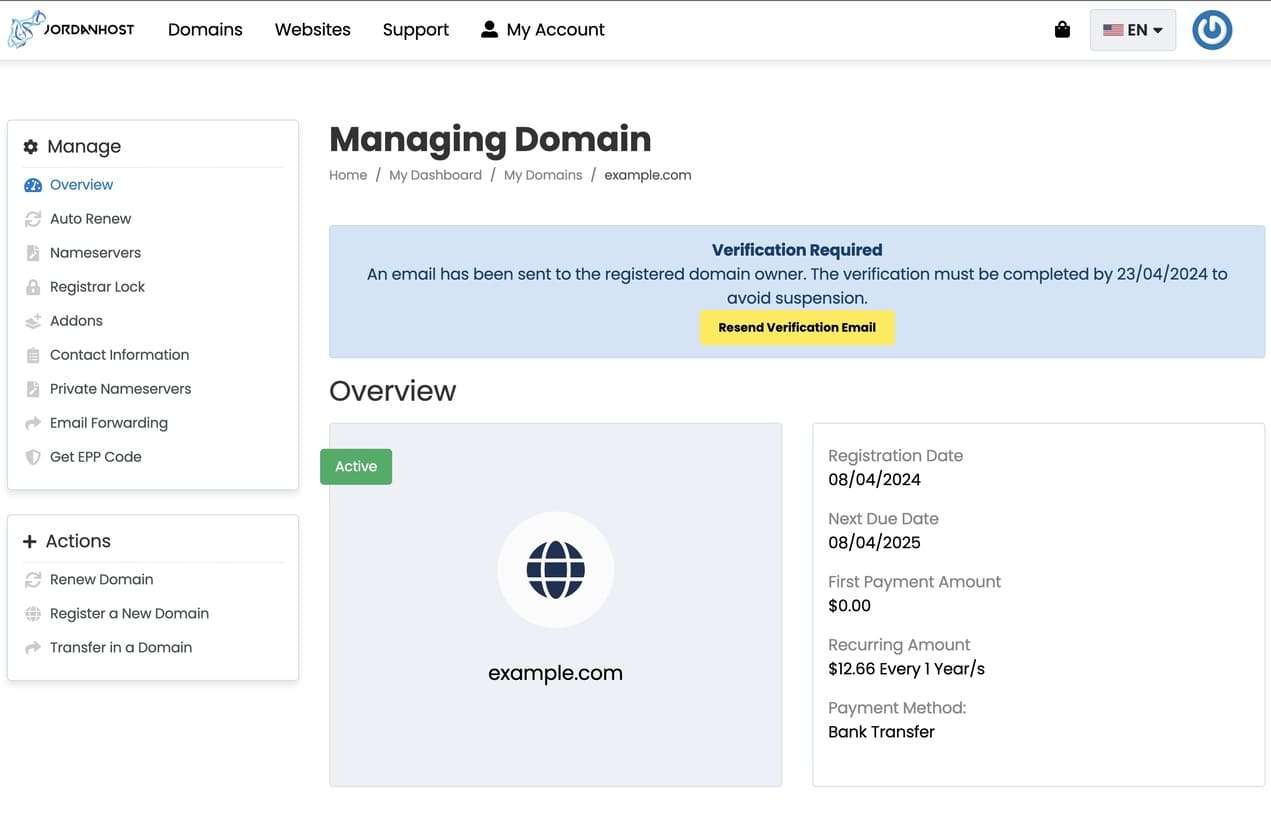
Note: If you do not receive the verification email, you can request it by going to your account, managing registered domains, choosing the desired domain from the list, then clicking on resend verification email, as shown in the following image: